
Employee's question to Your knowledge base
Stop answering the same question over and over.
Answers from your own documents, with the source.
Any sector
Use case · Any sector
For a new employee someone arranges the contract, accounts, workwear and a training schedule, from memory and through separate emails. The automation prepares the checklist and the first days and keeps track of what is still missing. Your office manager approves.
Free · 30 minutes online · one process · no obligation After that: pilot from €2,450 · monthly package from €295 · excl. VAT
How the work runs
AIstap
the automation
Your staff recordsFICTIONAL EXAMPLE
Lisa · starts 02-11To be checked
In doubt? To your team first.
Lisa is scheduled on the forklift, but her certificate is not among the papers. Your office manager decides.
Contract, account, clothing and keys are each arranged through a different email.
The new colleague is ready on Monday and cannot log in anywhere.
Someone asks around whether the contract is back and whether the certificate is there.
4 steps by hand
1 step for your team
Possible impact, not a promise: what it brings depends on your process.
An example. What we build for you is agreed upfront.
Role, contract, first day and certificate.
Reading the announcement and the attachments: role, contract, first day and certificate.
What is still missing for day one?
A check: if something is missing for day one, it goes to your office manager first.
Final only after your office manager approves.
Preparing checklist and training schedule in your staff records; final only after your office manager approves.
Your team sees what is still open.
A nudge to your team when something is waiting, such as a missing document.
An example. Slide to your own numbers.
Full ring: one working week of 40 hours. Based on 5 working days a week.
What remains after automation is something we look at in the free analysis.
The automation prepares. Your people approve and decide when something is unclear.
The automation
Your office manager
Try it yourself
Lisa · starts 02-11To be checked
CertificateMissing?
If a document is missing, your office manager sees it first. The automation does not guess.
The automation
Your team
Your team welcomes a colleague, signs the contract and does the training. In this set-up the automation does not take that over.
Your team sends any message to the new colleague. In this set-up the automation does not email the new colleague.
Which connection is possible is something we look at in the free analysis.
The announcement arrives in your own mailbox and the checklist is then in your own staff records. Whether and how your system can be connected is something we look at in the free analysis.
In this example
From mailbox to staff records: one process, two systems. The size of a pilot.
€0
You show us one process.
from€2,450
One working automation.
from€295/month
We keep it running.
Prices excl. VAT
All prices and stepsYes. In this set-up that data stays in your own systems and the automation only reads what the checklist needs, no identity document or bank details. Which data that is, we agree beforehand.
Probably not as a separate project. It mainly suits many new starters, such as seasonal work or several locations. In the free analysis we say honestly what is worth it for you.
No. Your team draws up the contract and signs it itself. The automation keeps track of whether it came back signed and what else still has to be ready.
Employee's question to Your knowledge base
Answers from your own documents, with the source.
Any sector
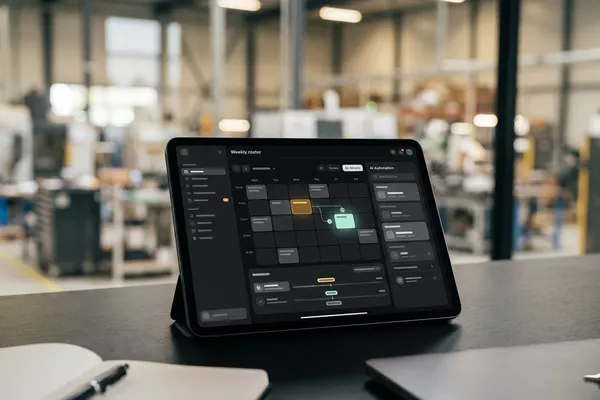
Sick call by message to Your roster
Proposed cover; your team lead chooses, the colleague confirms.
Multiple locations Logistics
Spoken handover to Your logbook
Spoken handover with open items; the next shift confirms.
Manufacturing Logistics
Step 0 · free
Free, no obligation
Prefer to email directly? [email protected]