
Spoken handover to Your logbook
What the evening shift knew, the morning shift does not.
Spoken handover with open items; the next shift confirms.
Manufacturing Logistics
Use case · Multiple locations · Logistics
An employee calls in sick in the morning, and your team lead phones and messages colleagues until the shift is covered again. The automation reads the message and prepares a proposal for cover. Your team lead chooses; the colleague says yes or no.
Free · 30 minutes online · one process · no obligation After that: pilot from €2,450 · monthly package from €295 · excl. VAT
How the work runs
AIstap
the automation
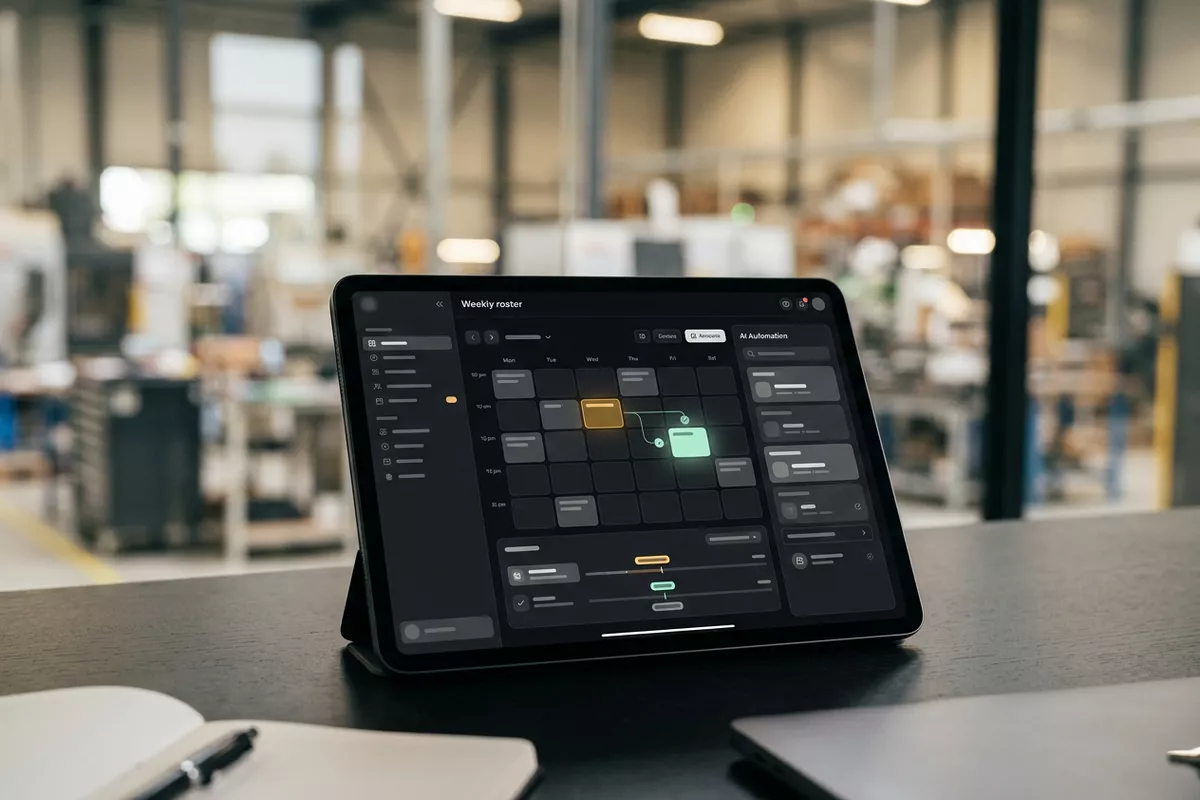
Your rosterFICTIONAL EXAMPLE
Shift 05-10 · 07:00-15:00Proposal
In doubt? To your team first.
Daan is listed as available, but asked for that day off. Your team lead decides.
Someone calls in sick early, and your team lead rings the whole team.
The shift starts one person short, because nobody replied in time.
Who is available is scattered across a spreadsheet, a group chat and your team lead's head.
4 steps by hand
2 steps for your team
Possible impact, not a promise: what it brings depends on your process.
An example. What we build for you is agreed upfront.
Who, which shift and which location.
Reading the sick call: who is absent, which shift is open and at which location.
Who is available, from your roster.
Looking up in your roster which colleagues are available for that shift.
Asked for a day off? Team lead first.
A check: if an available colleague asked for the day off, your team lead decides first.
Your team lead sees the proposal and chooses.
A notification to your team lead that a proposal is waiting. The colleague hears after approval.
An example. Slide to your own numbers.
Full ring: one working week of 40 hours. Based on 5 working days a week.
What remains after automation is something we look at in the free analysis.
The automation prepares. Your people approve and decide when something is unclear.
The automation
Your team lead
Try it yourself
Shift 05-10 · 07:00-15:00Proposal
CoverDaan asked day off?
If someone is listed as available but asked for that day off, your team lead decides. The automation only makes a proposal.
The automation
Your team
Who steps in and the talk about absence stay with your team. In this set-up the automation does not finalise a roster.
Your team lead sends any request to a colleague. In this set-up no shift changes without approval from your team lead.
Which connection is possible is something we look at in the free analysis.
The sick call arrives in your group chat or as a voice message; the proposal is in your own roster. Whether and how your system can be connected is looked at in the free analysis.
In this example
From sick call to roster: one process, two systems. The size of a pilot.
€0
You show us one process.
from€2,450
One working automation.
from€295/month
We keep it running.
Prices excl. VAT
All prices and stepsNo. In this set-up the automation drafts the request; your team lead chooses the colleague and sends it. The colleague says yes or no.
In this set-up only that someone is absent and which shift is open. Any reason or illness in the message is not copied or passed on.
Only with what is in your roster and what the automation may see. Which rules count is agreed in the pilot. Your team lead keeps the final say.
Spoken handover to Your logbook
Spoken handover with open items; the next shift confirms.
Manufacturing Logistics
New colleague by email to Your staff records
Checklist and first days prepared; your office manager approves.
Any sector
Photo from group chat to Your task list
From group chat to task; your location manager decides.
Multiple locations Manufacturing
Step 0 · free
Free, no obligation
Prefer to email directly? [email protected]